

Client portal software for commercial finance brokers
Live status, under your brand, without a single chase call.
Clients upload what you need and see exactly where their application stands. Information is entered once, held securely, and shared by both sides, which removes the email ping-pong that slows deals down.
- 30 minutes
- No slide deck
- No obligation
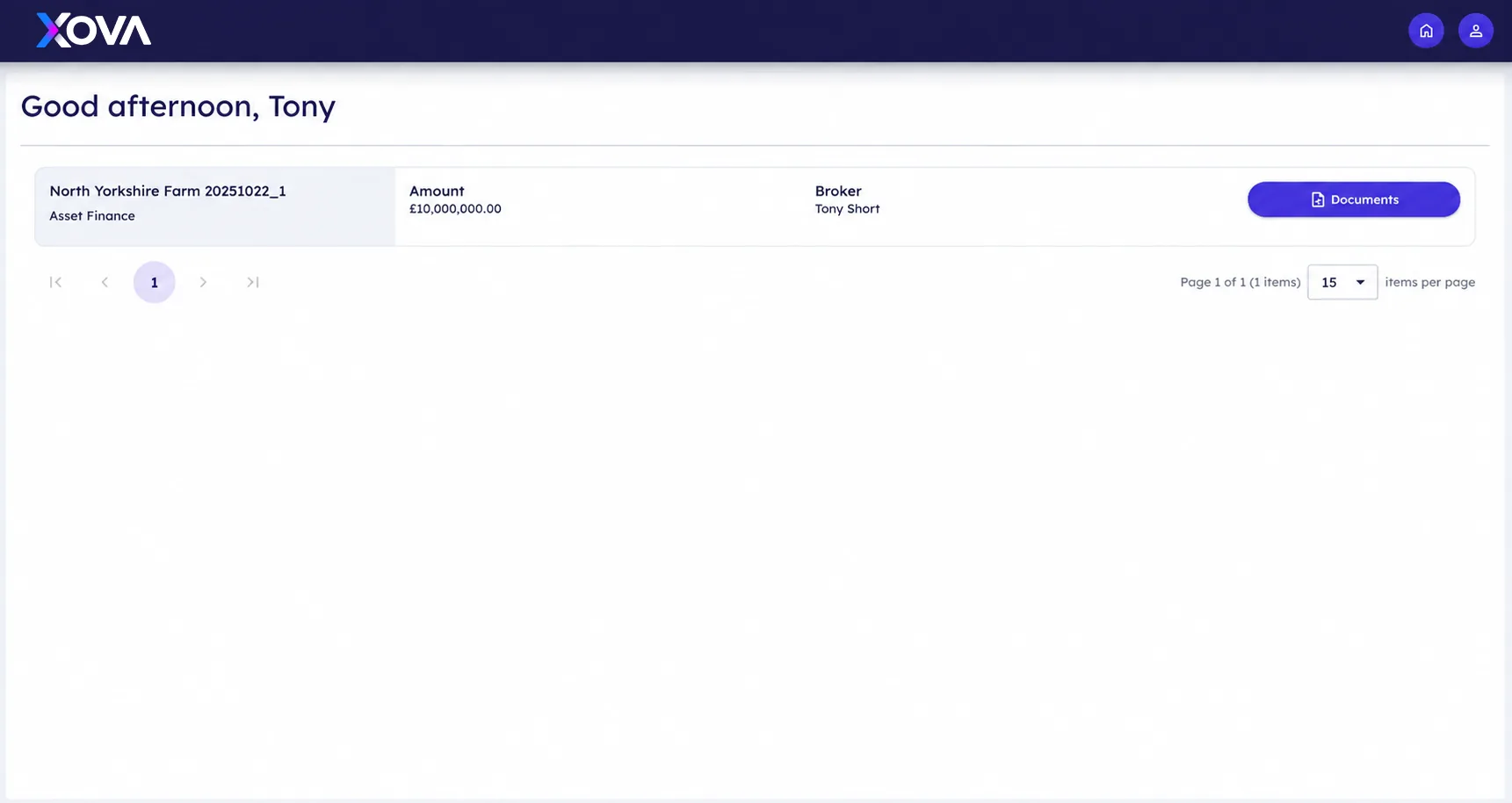
Actual Xova platform view showing client portal.
The problem
Where brokerages lose time on client portal
Clients ask where their case is because there is nowhere for them to look. The answer lives in an inbox, so the broker becomes the status page, and documents arrive as attachments that someone has to file by hand.
- Status chased by phone and email
- Sensitive documents sent over ordinary email
- No single place the client can return to
White-labelled to your brokerage
Your logo, your colours, your domain. The portal reads as an extension of your firm rather than a third-party tool your client has been redirected into halfway through a transaction.
- Your branding and your domain
- Tone and wording you control
- Mobile-first for clients on site
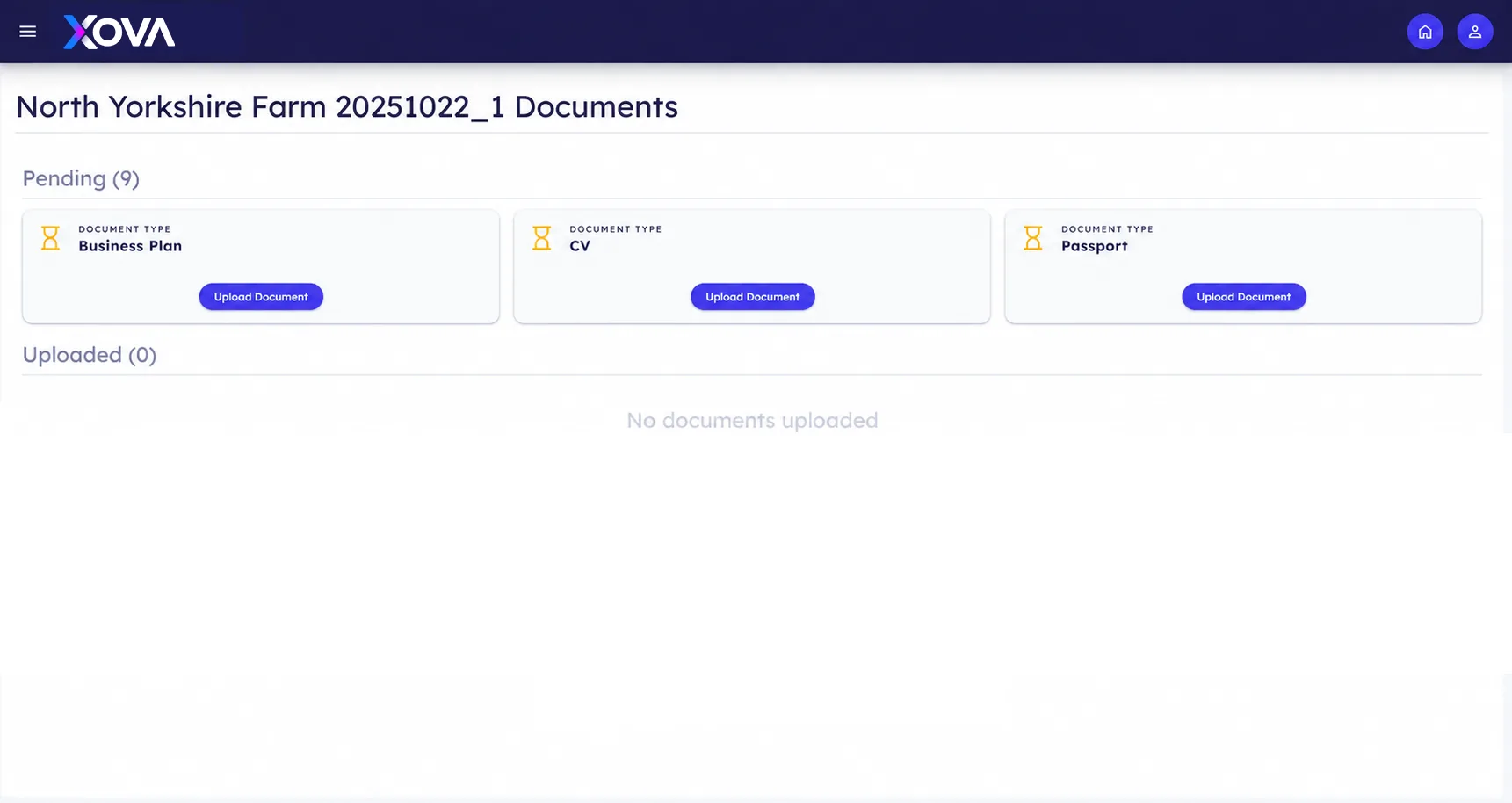
A checklist, not a chase
Clients see precisely what is outstanding and what has been received. Automated reminders handle the follow-up, so your team spends its time on lender conversations rather than asking for bank statements again.
- Clear outstanding-items checklist
- Automatic, polite reminders
- Secure upload from any device
Your document checklist

Status both sides trust
One shared view of stage, next action and expected timing. When the client can see progress, the phone stops ringing for updates, and the updates they do get are accurate rather than approximate.
- Live stage and next-action visibility
- Message thread kept on the file
- No duplicate versions of the truth
Application status
Application
Documents
Lender review
Offer
Next action
Lender review
Latest update
Documents accepted
See client portal on one of your own cases.
A 30-minute walkthrough configured around the products you broker.
- 30 minutes
- No slide deck
- No obligation
UK hosted
Client data stays in the United Kingdom.
Full audit trail
Every check, document and decision is time stamped.
Built for UK GDPR
Retention, access and consent handled inside the client record.
API first
Connects to the tools your desk already runs on.
How it works
Client portal in four steps
Invite
The client receives a secure invitation as soon as the file opens.
Upload
They provide documents against a clear, plain-English checklist.
Track
Status updates as your team works, with no manual reporting.
Complete
Records and documents remain available to the client after completion.
“Clients do not mind a process taking time. They mind not knowing where it has got to.”
Questions
Frequently asked
Do clients need to create an account?
Clients access the portal through a secure invitation and set their own credentials, which keeps their documents protected without a heavy sign-up.
Can we control what clients see?
Yes. Internal notes, lender commentary and fee detail stay internal; the client sees only the stages and items you choose to expose.
Does it work on a phone?
The portal is built mobile-first, including document capture from a phone camera.
Further reading
From the Insights desk
See client portal against your own process.
We’ll configure a walkthrough around the products you broker.